

Box Grid
Lorem ipsum dolor sit amet, consectetur adipiscing elit, sed do eiusmod tempor incididunt ut labore et dolore magna aliqua. Ut enim ad minim veniam, quis nostrud exercitation ullamco laboris nisi ut aliquip ex ea commodo consequat.
Academic Institute Administration
Departments & Centers by Area
Academic Publications
Research Careers
Rendering Item Path: /sitecore/layout/Renderings/Methodist/Components/BoxGrid
Status: Active
Description: Table with variable column settings, image, content, links, background and cell color options, margin settings.
Component Variations
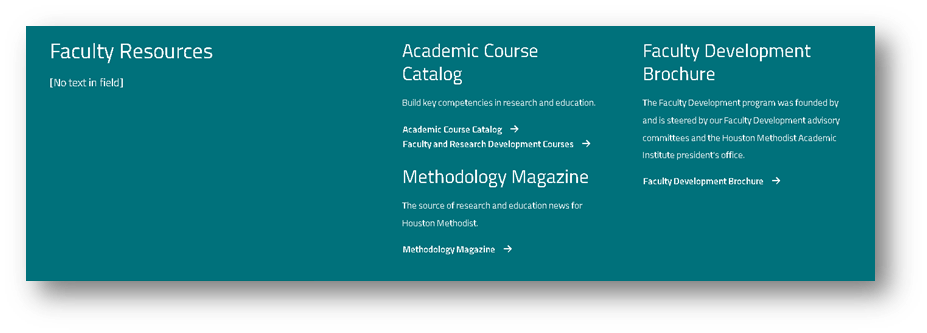
Component Specifications
- Title Field Type: Single line text
- Title Tag Field Type: Dropdown
Selection Options: DIV, H1, H2, H3, H4, H5 - Description Field Type: Multiple line text
- Link (optional) Field Type: Dropdown
Selection Options: List of Link Items within folder structure - Layout Field Type: Dropdown
Selection Options: Column, Row - Column Layout (Left - Right) Field Type: Dropdown
Selection Options: 25 - 75, 40 - 60, 50 - 50, 60 - 40, 75 - 25 - Left Column Field Type: Multiple Columns (see below)
- Right Column Field Type: Multiple Columns (see below)
- Anchor Name Field Type: Single line text
- Color Field Type: Single line text
- End Color Field Type: Single line text
- Image Desktop Field Type: Image
- Image Mobile Field Type: Image
- Image Gradient Field Type: Single line text
- Identifier Prefix Field Type: Single line text
- Margin Above (px) Field Type: Single line text
- Margin Below (px) Field Type: Single line text
- Theme Field Type: Dropdown
Selection Options: List of Theme Items within Themes folder structure
Column
- Title Field Type: Single line text
- Title Tag Field Type: Dropdown
Selection Options: H2, H3, H4, H5, H6 - Description Field Type: Multiple line text
- Links Field Type: Multiple Links (see below)
- Opacity Field Type: Dropdown
Selection Options: 0.0, 0.1, 0.2, 0.3, 0.4, 0.5, 0.6, 0.7, 0.8, 0.9, 1.0 - Link Desktop Glyph Field Type: Single file
- Link Mobile Glyph Field Type: Single file
Rendering Item Path: /sitecore/layout/Renderings/Methodist/Components/Actionables/Tiles/Custom/Featured Centers and Services/FeaturedGrid
Status: Active
Description: Grid with up to 6 blocks using color, margin, icon and text with styling options.
Component Variations
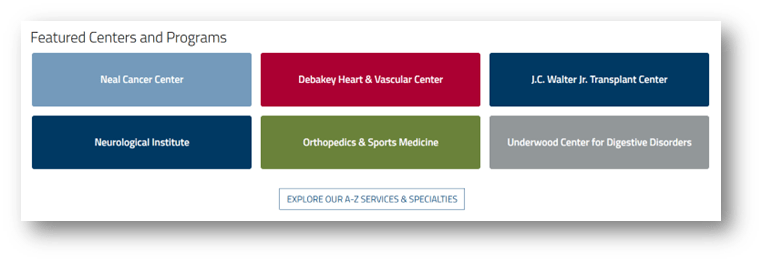
Component Specifications
- Title Field Type: Single line text
- Columns (Desktop) Field Type: Dropdown
Selection Options: 1, 2, 3, 4 - Columns (Tablet) - Leave Blank to Inherit Field Type: Dropdown
Selection Options: 1, 2, 3, 4 - Columns (Mobile) - Leave Blank to Inherit Field Type: Dropdown
Selection Options: 1, 2, 3, 4 - Items Field Type: Multiple Items (see below)
- Extras Field Type: Multiple key-value pairs
- Margin Above (px) Field Type: Single line text
- Margin Below (px) Field Type: Single line text
Items
- Featured Center or Service Field Type: Single Center (see below)
- Text Field Type: Single line text
- Link Field Type: Link
- Identifier Field Type: Single line text
Center
- Image Field Type: Image
- Background Field Type: Single line text
Showcase

Rendering Item Path: /sitecore/layout/Renderings/Methodist/Components/Showcase
Status: Active
Description: Full-width showcase banner with multiple images and text
Component Specifications
- Title Field Type: Single line text
- ViewAllLink Field Type: Link
- ShowcaseItems Field Type: Multiple Items (see below)
Items
- Showcase Title Field Type: Single line text
- Icon Field Type: Image
- Mobile Image Field Type: Image
- Desktop Image Field Type: Image
- Title Field Type: Single line text
- Link Field Type: Link