
No Live Example Available
Rendering Item Path: /sitecore/layout/Renderings/Methodist/Shared/LibExpandedGlobalMenu
Status: Active
Description: Although this shows on all pages, these global menu items are not used in the global menu dropdown
Component Specifications: None. Just populates the expanded global menu sections.
GlobalBreadcrumb
Rendering Item Path: /sitecore/layout/Renderings/Methodist/InThisSection
Status: Active
Description: Section navigation with title and text links to information contained under the parent.
Component Variation
Component Specifications
- Title Field Type: Single line text
- LinkItem for each link contains:
- Label Field Type: Single line text
- Link Field Type: General link
- Site Field Type: Dropdown
Selection Options: Selections for different sites
InThisSection
Rendering Item Path: /sitecore/layout/Renderings/Methodist/InThisSection
Status: Active
Description: Section navigation with title and text links to information contained under the parent.
Component Variation

Component Specifications
- Title Field Type: Single line text
- LinkItem for each link contains:
- Label Field Type: Single line text
- Link Field Type: General link
- Site Field Type: Dropdown
Selection Options: Selections for different sites
GlobalMicrositeMenuDropDown
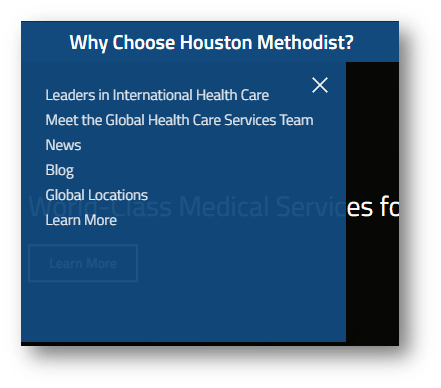
Rendering Item Path: /sitecore/layout/Renderings/Methodist/Shared/GlobalMicrositeMenuDropDown
Status: Active
Component Specifications
Header has several levels to complete
- Top logo, styling top and secondary navigation /sitecore/content/DataItems/Headers and Footers/Headers/Global Microsite
- Top section navigation /sitecore/content/DataItems/GlobalNavigation/Navigation Menus/International
- Secondary navigation select language sites /sitecore/content/DataItems/Headers and Footers/Links/LanguagesTop section navigation drop down menu select from list of links /sitecore/content/DataItems/GlobalNavigation/Navigation Sub-Menus/International Patients
SideNavigation-PatientGuide
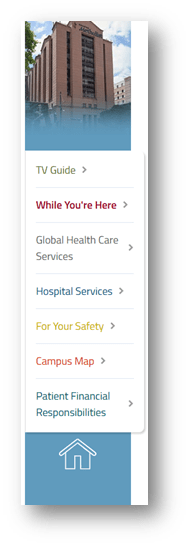
Rendering Item Path: /sitecore/layout/Renderings/Methodist/Patient Guides/Components/Side Navigation
Status: Active
Description: Side menu with image
Component Specifications
In section configuration, example /sitecore/content/1285_houstonmethodist/1674_locations/MethodistLocations/1675_locations_hospitals/1676_locations_texasmedicalcentrecentralhouston/patient-guide/Configuration
FixedMenu

Rendering Item Path: /sitecore/layout/Renderings/Methodist/Patient Guides/Components/Menus/FixedMenu
Status: Active
Description: Menu with logo and navigation items left justified, with dropdown option.
Component Specifications
- Image Field Type: Image
- Link Field Type: Link
- Menu bar style Field Type: Dropdown
Selection Options: List of Styles within folder structure - Menu bar style on hover Field Type: Dropdown
Selection Options: List of Styles within folder structure - Menu bar style on mobile Field Type: Dropdown
Selection Options: List of Styles within folder structure - Push Content Down Field Type: Checkbox
MasterDropdown
Rendering Item Path: /sitecore/layout/Renderings/Methodist/Patient Guides/Components/Dropdowns/Master Dropdown
Status: Active
Description: Flexible dropdown in new style, supports text styling, background color and margin settings.
Component Variation
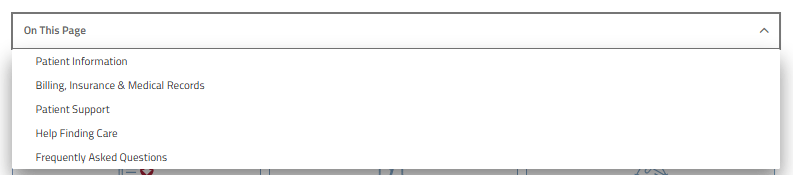
Component Specifications
- Hint Text Field Type: Single line text
- Width Field Type: Single line text
- Font Size Field Type: Single line text
- Font Color Field Type: Single line text
- Font Weight Field Type: Dropdown
Selection Options: 300, 400, 500, 600, 700 - Background Color Field Type: Single line text
- Hover Font Color Field Type: Single line text
- Hover Background Color Field Type: Single line text
- Margin Above (px) Field Type: Single line text
- Margin Below (px) Field Type: Single line text




Rendering Item Path: /sitecore/layout/Renderings/Methodist/Patient Guides/Components/Menus/Vertical Menu
Status: Active
Description: Vertical menu left side, paired with image or video in right panel to showcase content within the component or link out to more information.
Component Variation
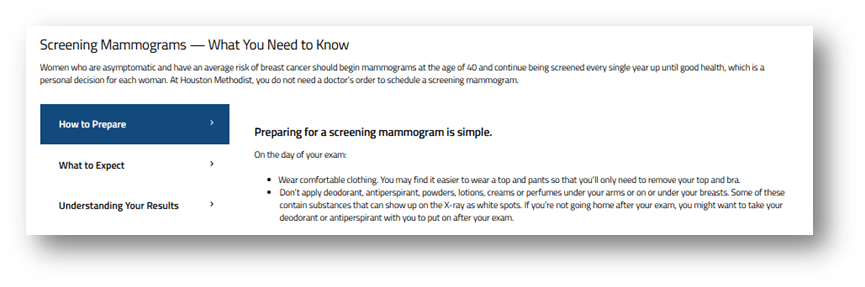
Component Specifications
- Title Field Type: Single line text
- Subtitle Field Type: Single line text
- Copy Field Type: Multiple line text
- Menu Items Field Type: Multiple Selection
Selection Options: List of items within folder structure - Anchor Name Field Type: Single line text
- Mobile Layout Field Type: Dropdown
Selection Options: Accordion, Sections - Title Tag Field Type: Dropdown
Selection Options: DIV, H1, H2, H3, H4, H5 - Subtitle Tag Field Type: Dropdown
Selection Options: DIV, H1, H2, H3, H4, H5 - Margin Above (px) Field Type: Single line text
- Margin Below (px) Field Type: Single line text
- Theme Field Type: Dropdown
Selection Options: Items within Themes folder structure
MainNavigation-PatientGuide
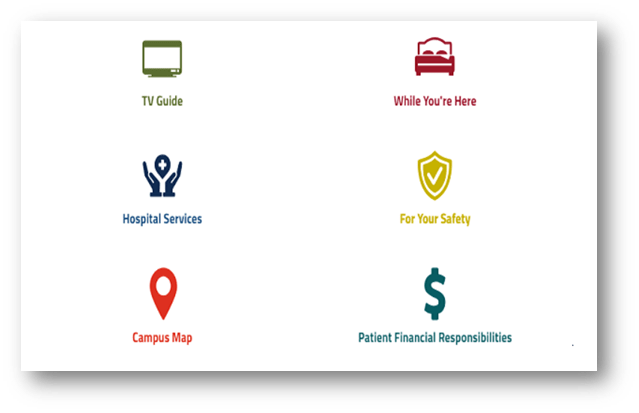
Rendering Item Path: /sitecore/layout/Renderings/Methodist/Patient Guides/Components/Main Navigation
Status: Active
Description: Full-width two-column main navigation block with icons
Component Specifications
In section configuration, example /sitecore/content/1285_houstonmethodist/1674_locations/MethodistLocations/1675_locations_hospitals/1676_locations_texasmedicalcentrecentralhouston/patient-guide/Configuration
Dropdown
Rendering Item Path: /sitecore/layout/Renderings/Methodist/Components/Dropdowns/Dropdown
Status: Active
Description: Drop down with hint, background color, tags and margin adjustment.
Component Specifications
- Title Field Type: Single line text
- Title in Bold Field Type: Checkbox
- Hint Text Field Type: Single line text
- Optional Extra Dropdown Text Field Type: Single line text
- Tag Field Type: Dropdown
Selection Options: H2, H3 - Margin Above (px) Field Type: Single line text
- Margin Below (px) Field Type: Single line text
GlobalBreadcrumbWideColumn
Rendering Item Path: /sitecore/layout/Renderings/Methodist/Shared/GlobalBreadcrumbWideColumn
Status: Active
Description: Secondary breadcrumb option for wide display.
Component Specifications
- None automatically generates Field Type: Single line text
SidebarNavigation

Rendering Item Path: /sitecore/layout/Renderings/Methodist/Shared/SidebarNavigation
Status: Active – Center for Innovation
Description: Sidebar navigation menu used in Center for Innovation. Supports up to 12 navigation items.
Component Specifications
- SimpleLink1 (Repeats for 12 instances) Field Type: Link
- Text1 (Repeats for 12 instances) Field Type: Rich text
HamburgerNavigation
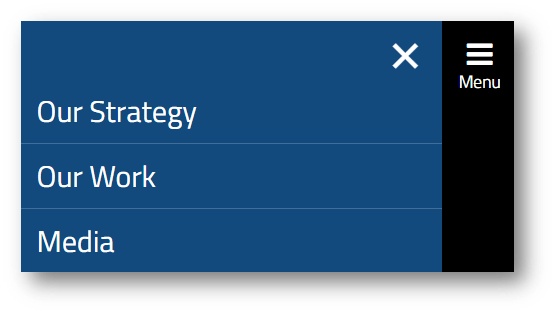
Rendering Item Path: /sitecore/layout/Renderings/Methodist/Shared/HamburgerNavigation
Status: Active
Description: Hamburger style expanding navigation menu.
Component Specifications
Setup in /sitecore/content/DataItems/Innovation/InnovationNavigation