
Rendering Item Path: /sitecore/layout/Renderings/Methodist/Locations/CentralizedLocationSearch
Status: Active
Description: Location search with map and list view, pins for selected locations, ability to tag by service lines. Search by location type, zip or city and radius.
Component Specifications
- Configuration Field Type: Multiple Checkboxes
Selection Options: Display Hours of Operation in List View, Display Information Icon, Display Secondary Phone Number, Use List View Map Mirroring - Location Types Field Type: Multiple Location Types (see below)
- Icon Field Type: Image
- Title Field Type: Single line text
- Copy Field Type: Multiple line text
- No Results Message Field Type: Single line text
- No Results Message City of Zip Code Field Type: Single line text
- Glyph Field Type: Single line text
- Text Field Type: Single line text
- Background Color Field Type: Single line text
- Hover Background Color Field Type: Single line text
Location Type
- Location Type Search Key - this will appear in the search url. ex: locationtype=pcg ,if this is empty, value in textfield will be used Field Type: Single line text
- Link Field Type: Link
- Service Line Tags Field Type: Multiple Links
Selection Options: List of Service Line tags - Map Pin Icon Field Type: Image
- Centralized Locations Supplemental Drop Down Field Type: Multiple Dropdowns (see below)
- Centralized Locations Supplemental Drop Down Label Field Type: Single line text
- Title Field For Display Field Type: Single Field (see below)
- ProviderMatch Designation Field Type: Single line text
Dropdown
- Text Field Field Type: Single line text
- Location Type Search Key - this will appear in the search url. ex: locationtype=pcg ,if this is empty, value in textfield will be used Field Type: Single line text
- Link Field Type: Link
- Service Line Tags Field Type: Multiple Links
Selection Options: List of Service Line tags - Map Pin Icon Field Type: Image
- Centralized Locations Supplemental Drop Down Field Type: Multiple Dropdowns (see below)
- Centralized Locations Supplemental Drop Down Label Field Type: Single line text
- Title Field For Display Field Type: Single Field (see below)
- ProviderMatch Designation Field Type: Single line text
RightColLocation
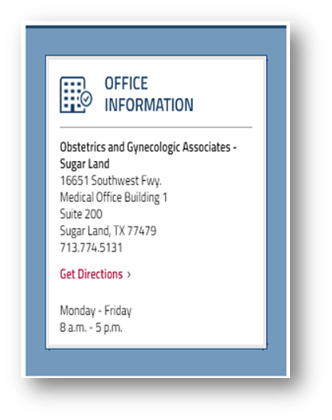
Rendering Item Path: /sitecore/layout/Renderings/Methodist/RightColLocation
Status: Active
Description: Vertical component displays office or provider information, location title, address, directions link, hours, CTA, specialty, url, settings for local listings status, find a doctor link or request appt link.
Component Variation
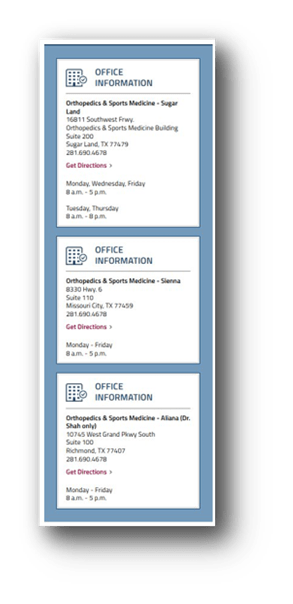
Component Specifications
- Short Location Name Field Type: Single line text
- Long Location Name Field Type: Single line text
- Web Page Field Type: Link
- Description Field Type: Rich text
- Address 1 (Repeats for 2 instances) Field Type: Single line text
- Suite Field Type: Single line text
- City Field Type: Single line text
- State Field Type: Dropdown
Selection Options: List of States - ZIP Code Field Type: Single line text
- Building Name Field Type: Single line text
- Phone Number Field Type: Single line text
- Secondary Phone Number Field Type: Single line text
- Fax Number Field Type: Single line text
- Latitude Field Type: Single line text
- Longitude Field Type: Single line text
- Local Listing Status Field Type: Single line text
Selection Options: Live, Needs Verification, Not Applicable, Update Needed - Find a Doctor Link Field Type: Link
- Find a Doctor Text Field Type: Single line text
- Request Appointment Link Field Type: Link
- Request Appointment Text Field Type: Single line text
- Location Type Field Type: Multiple selection
Selection Options: Items in LocationTypes folder structure - Locations Field Type: Multiple selection
Selection Options: Items in Locations folder structure - Services Field Type: Multiple selection
Selection Options: Items in Services folder structure - Specialties Field Type: Multiple selection
Selection Options: Items in DoctorSpecialty folder structure - Location Type Tag Field Type: Multiple selection
Selection Options: List of location types - Centralized Locations Supplemental Drop Down Field Type: Multiple selection
Selection Options: Items in DataItems folder structure - Show on top of listing Field Type: Checkbox
- Card Image Field Type: Image
- Profile Image Field Type: Image
- Information Field Type: Rich text
- Hours Notes Field Type: Rich text
- Status (Repeats for Monday-Sunday) Field Type: Dropdown
Selection Options: Open,Closed - Opens At (Repeats for Monday-Sunday) Field Type: Dropdown
Selection Options: Time options for 24hrs in 15min increments - Closes At (Repeats for Monday-Sunday) Field Type: Dropdown
Selection Options: Time options for 24hrs in 15min increments - Open 24 Hours (Repeats for Monday-Sunday) Field Type: Checkbox
- Regions Field Type: Dropdown
Selection Options: List of Regions - Sub Regions Field Type: Dropdown
Selection Options: List of Sub Regions - Practice Office Field Type: Multiple selection
Selection Options: List of Practice Offices - Secondary Link Field Type: Link
- Synchronize Field Type: Checkbox
- External System ID Field Type: Single line text
- ProviderMatch Designation Field Type: Single line text
LocationMapListing
Find a Location Near You
Rendering Item Path: /sitecore/layout/Renderings/Methodist/Locations/LocationMapListing
Status: Active
Description: Location card with image, location title, address, phone and CTA to find location, book, find a doctor, display hours, map location or other functions. Supports map or list view.
Component Variations


Component Specifications
- Glyph Field Type: Dropdown
Selection Options: Items within the Glyphs folder structure - Title Field Type: Single line text
- Copy Field Type: Multiple line text
- Display Mode Field Type: Dropdown
Selection Options: Both views, List view, Map view - Configuration Field Type: Multiple checkboxes
Selection Options: Display Filter By Zip Code, Display Filter by Location, Display Hours of Operation in Map View, Display Hours of Operation in List View, Display Information Icon, Display Secondary Phone Number, Use List View Map Mirroring - Title Tag Field Type: Dropdown
Selection Options: H1, H2, H3 - Height Field Type: Single line text
- Zoom Level Field Type: Dropdown
Selection Options: 0, 1, 2, 3, 4, 5, 6, 7, 8, 9, 10, 11, 12, 13, 14, 15, 16, 17, 18 - Maximum Zoom Level Field Type: Dropdown
Selection Options: 0, 1, 2, 3, 4, 5, 6, 7, 8, 9, 10, 11, 12, 13, 14, 15, 16, 17, 18 - Map Center Latitude Field Type: Single line text
- Map Center Longitude Field Type: Single line text
- Auto-fit Map Center to Bounds Field Type: Checkbox
- Scrolling Options Field Type: Dropdown
Selection Options: No Scrolling, Scroll to Map Always, Scroll to Map if Querystring - Taxonomy fields to Filter By Field Type: Multiple Selection
Selection Options: Location Type, Locations, Services, Specialties - Location Type Field Type: Multiple Selection
Selection Options: Items within LocationTypes folder structure - Locations Field Type: Multiple Selection
Selection Options: Items within Location folder structure - Services Field Type: Multiple Selection
Selection Options: Items within Services folder - Specialties Field Type: Multiple Selection
Selection Options: Items within Services folder - Postal Code Field Type: Single line text
- Display Links for Location Types Field Type: Multiple Selection
Selection Options: Items within LocationTypes folder structure - Filter Default Value Field Type: Single line text
- Filter Location Types Field Type: Multiple Selection
Selection Options: Items within LocationTypes folder structure - Filter Location Query String Field Type: Single line text
- Anchor Name Field Type: Single line text
- Margin Above (px) Field Type: Single line text
- Margin Below (px) Field Type: Single line text
HospitalAddressAndMap
Description Lorem ipsum dolor sit amet, consectetur adipiscing elit, sed do eiusmod tempor incididunt ut labore et dolore magna aliqua.
Rendering Item Path: /sitecore/layout/Renderings/Methodist/HospitalAddressandMap
Status: Active
Description: Location card with location name, specialty, address, map, optional get directions link.
Component Variation
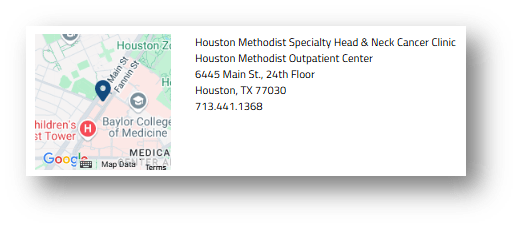
Component Specifications
- Title Field Type: Single line text
- TitleLink Field Type: Link
- Description Field Type: Rich text
- Latitude Field Type: Single line text
- Longitude Field Type: Single line text
- GetDirectionsAvailable Field Type: Checkbox

Rendering Item Path: /sitecore/layout/Renderings/Methodist/Locations/LocationCards
Status: Active
Description: Location cards with building image, location name, specialty, get directions and visit location page links.
Component Variation
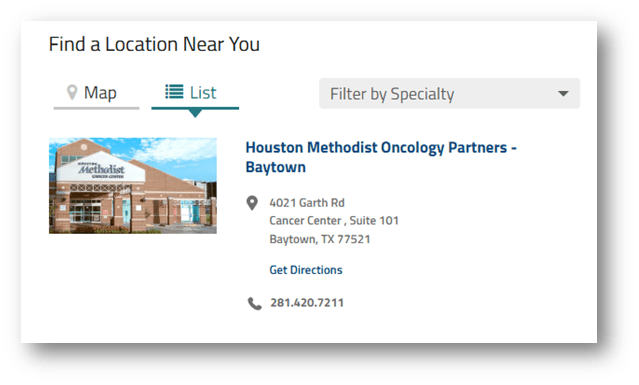
Component Specifications
- Title Field Type: Single line text
- ServiceandSpecialty Field Type: Multiple Specialties (see below)
- Location Type Field Type: Multiple Location Types (see below)
- Practice Office Name Field Type: Multiple Offices (see below)
- With Line Below Field Type: Checkbox
Specialty
- Title Field Type: Single line text
- Link Field Type: Link
- TextField Field Type: Single line text
- Service Line Field Type: Dropdown
Selection Options: List of service line tags - Display on A-Z Service Listing Field Type: Checkbox
- Service Line Tags Field Type: Multiple Links
Selection Options: List of service line tags - Short Title Field Type: Single line text
- ProviderMatch Designation Field Type: Single line text
Office
- Title Field Type: Single line text
- Link Field Type: Link
- Short Title Field Type: Single line text
- ProviderMatch Group ID Field Type: Single line text
- ProviderMatch Designation Field Type: Single line text
Location Type
- Title Field Type: Single line text
- Link Field Type: Link
- TextField Field Type: Single line text
- Service Line Field Type: Dropdown
Selection Options: List of service line tags - Display on A-Z Service Listing Field Type: Checkbox
- Service Line Tags Field Type: Multiple Links
Selection Options: List of service line tags - Short Title Field Type: Single line text
- ProviderMatch Designation Field Type: Single line text
Topic Here…
- Text Field Field Type: Single line text
- Location Type Search Key - this will appear in the search url. ex: locationtype=pcg ,if this is empty, value in textfield will be used Field Type: Single line text
- Link Field Type: Link
- Service Line Tags Field Type: Multiple Links
Selection Options: List of service line tags - Map Pin Icon Field Type: Image
- Centralized Locations Supplemental Drop Down Field Type: Multiple Dropdowns (see below)
- Centralized Locations Supplemental Drop Down Label Field Type: Single line text
- Title Field For Display Field Type: Single Field (see below)
- ProviderMatch Designation Field Type: Single line text
LocationSearch
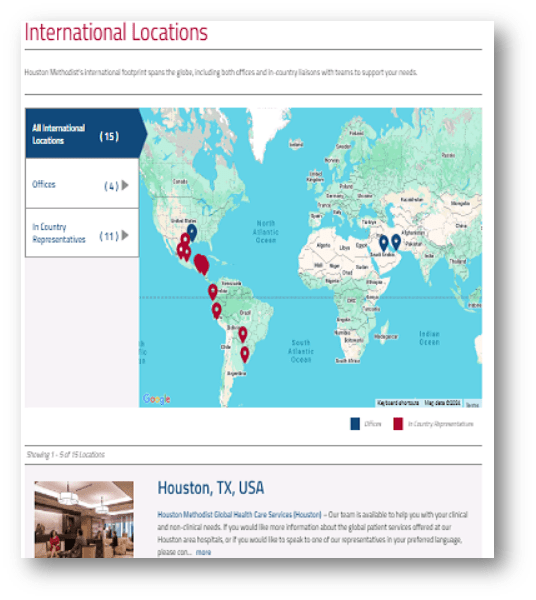
Rendering Item Path: /sitecore/layout/Renderings/Methodist/InternationalLocations
Status: Active
Description: Interactive map with cards below for international locations, offices and representatives with contact information.
Component Specifications
- Title Field Type: Single line text
- Description Field Type: Rich text
- MenuTitle Field Type: Rich text
- Link Field Type: Link
InternationalLocationsMobile
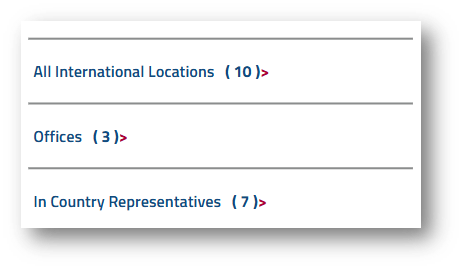
Rendering Item Path: /sitecore/layout/Renderings/Methodist/InternationalLocationsMobile
Status: Active
Description: Menu for International locations, offices and representatives.
Component Specifications
Displays international location types, number and links to page